Cloud storage has become an everyday necessity rather than a service used only by businesses. Photos from a smartphone, office documents, college assignments, website backups and important personal files can all be stored online and accessed from multiple devices. If a laptop fails or a phone is lost, having properly synced or backed-up files in the cloud can prevent a stressful situation from becoming permanent data loss.
The challenge in 2026 is choosing between dozens of cloud storage providers. Google Drive works naturally with Google services, OneDrive fits closely with Microsoft 365, iCloud is convenient for Apple users, while services such as Proton Drive and Sync.com put greater emphasis on privacy.
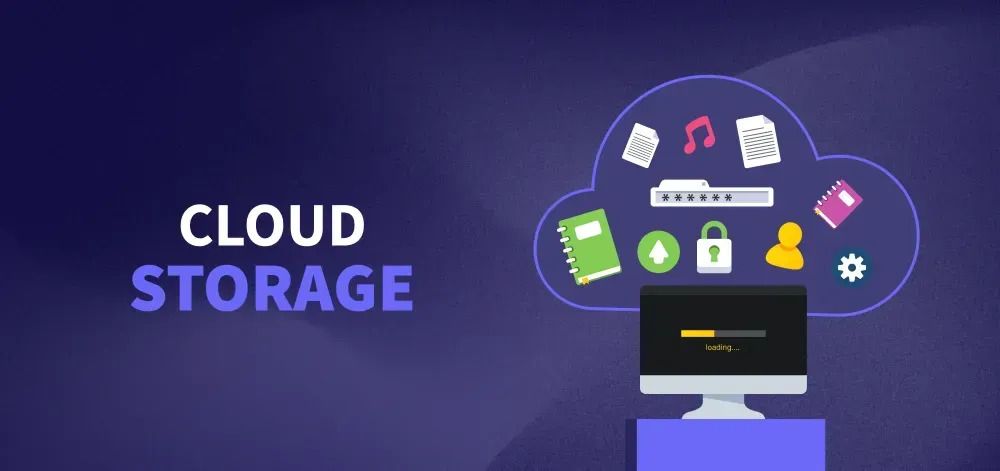
Storage capacity is only one consideration. Sync reliability, collaboration, privacy, recovery options, platform support and pricing can be equally important.
Here are the top 10 cloud storage services compared for 2026.
Top 10 Cloud Storage Services at a Glance
| Rank | Cloud Service | Free Storage* | Best For |
|---|---|---|---|
| 1 | Google Drive | Up to 15 GB | Overall everyday use |
| 2 | Microsoft OneDrive | 5 GB | Windows & Microsoft 365 |
| 3 | Dropbox | 2 GB | File syncing & sharing |
| 4 | Apple iCloud | 5 GB | Apple ecosystem |
| 5 | Proton Drive | Available | Privacy-focused storage |
| 6 | Sync.com | Available | Secure file storage |
| 7 | pCloud | Available | Personal cloud storage |
| 8 | Box | Available | Business collaboration |
| 9 | MEGA | Available | Generous personal storage options |
| 10 | Internxt | Available | Privacy-conscious users |
*Free allowances and promotional storage can change. Always check the current plan before signing up.
1. Google Drive – Best Overall Cloud Storage Service
Google Drive remains one of the easiest cloud services to recommend to everyday users because it connects naturally with Gmail, Google Photos, Docs, Sheets and Slides.
A standard Google Account provides up to 15 GB of free storage, shared across major Google storage services.
Drive is particularly useful for:
- Documents
- Photos
- PDFs
- College assignments
- Shared folders
- Business files
- Collaborative projects
Its biggest advantage is collaboration.
Multiple people can work on Google Docs, Sheets and Slides without repeatedly emailing new versions of the same file.
Users needing additional capacity can upgrade through Google One, with larger storage plans available.
Best for: Students, Android users, families, freelancers and everyday cloud storage.
2. Microsoft OneDrive – Best for Windows and Microsoft 365
OneDrive is particularly attractive if your daily work already involves Windows, Word, Excel, PowerPoint or other Microsoft services.
A free Microsoft account includes 5 GB of OneDrive cloud storage.
Paid Microsoft 365 subscriptions can provide substantially more storage, with 1 TB included in major individual subscription options.
OneDrive supports:
- File syncing
- Photo storage
- Document sharing
- Windows backup-related workflows
- Microsoft 365 collaboration
- Mobile access
One useful security feature is Personal Vault, which provides an additional protected location for sensitive files.
The deeper advantage, however, is ecosystem integration. Someone who works in Excel and Word every day may find OneDrive considerably more convenient than constantly transferring documents to another cloud provider.
Best for: Windows users, professionals and Microsoft 365 subscribers.
3. Dropbox – Best for Reliable File Syncing
Dropbox helped popularise modern consumer cloud syncing and remains particularly strong when straightforward file synchronisation and sharing are the priorities.
Dropbox Basic provides 2 GB of starting free storage.
That is relatively small compared with Google’s free allowance, so Dropbox may not be ideal if your main objective is storing a huge photo library without paying.
Its strengths instead include:
- File synchronisation
- Folder sharing
- Cross-device access
- File collaboration
- Backup-related functionality
- Straightforward sharing workflows
Dropbox can be especially useful for professionals who regularly exchange files with clients.
Rather than attaching large files to emails, a shared link or folder can simplify collaboration.
Best for: Freelancers, agencies and users prioritising dependable file sharing.
4. Apple iCloud – Best for iPhone and Mac Users
For someone deeply invested in Apple’s ecosystem, iCloud is often the most convenient option.
Apple provides 5 GB of free iCloud storage, while iCloud+ offers larger paid capacities.
The service can work with:
- iPhone and iPad backups
- iCloud Photos
- iCloud Drive
- Messages-related data
- Application data
- Apple device syncing
The main advantage is how quietly it can operate in the background.
An iPhone user does not necessarily want to manually transfer every photograph or document between an iPhone, iPad and Mac.
iCloud helps connect those devices.
The limitation is that 5 GB can fill surprisingly quickly, particularly when device backups and photographs are involved.
Best for: iPhone, iPad and Mac users.
5. Proton Drive – Best for Privacy-Focused Users
Proton Drive takes a more privacy-centred approach to cloud storage.
It is part of the wider Proton ecosystem, which includes privacy-oriented services such as email and VPN products.
Proton Drive emphasises end-to-end encryption and is designed so that stored content receives strong privacy protection.
It can be considered for:
- Personal documents
- Sensitive files
- Photos
- File sharing
- Privacy-focused backups
This does not mean every user automatically needs Proton Drive instead of Google Drive or OneDrive.
Mainstream platforms may provide more convenient collaboration for some workflows.
But if privacy is one of your highest priorities, Proton Drive deserves serious consideration.
Best for: Privacy-conscious individuals and professionals.
6. Sync.com – Best for Secure File Sharing
Sync.com is another cloud storage provider that places considerable emphasis on privacy and secure collaboration.
It is useful for people who want cloud convenience while maintaining stronger control over sensitive files.
Typical uses include:
- Document storage
- Secure sharing
- Team folders
- File recovery
- Business collaboration
Privacy-focused cloud services can be particularly attractive for consultants, small companies and professionals handling confidential material.
However, businesses dealing with regulated information should never assume that choosing an encrypted cloud provider automatically satisfies every legal or compliance requirement.
Security also depends on account configuration, permissions and employee behaviour.
Best for: Professionals and teams prioritising secure sharing.
7. pCloud – Best Flexible Personal Storage Option
pCloud is a popular alternative to the biggest technology-company cloud platforms.
It provides applications across major platforms and is suitable for storing:
- Photos
- Videos
- Documents
- Music
- Personal archives
One feature that has historically distinguished pCloud is the availability of long-term and lifetime-style storage options alongside more conventional plans.
That can appeal to users who dislike maintaining numerous monthly subscriptions.
However, always compare the current plan terms carefully before making a long-term purchase.
Also check which privacy and encryption capabilities are included by default versus requiring a particular feature or plan.
Best for: Personal users wanting flexible long-term storage options.
8. Box – Best for Business Collaboration
Box is particularly well established in business environments.
While ordinary consumers can use it for storing files, its stronger appeal lies in workplace collaboration, administration and content management.
Businesses can use Box for:
- Document sharing
- Team collaboration
- File permissions
- Workflow management
- Business content
- Integrations
For an individual who only needs somewhere to keep holiday photographs, Box may be unnecessarily business-oriented.
For an organisation managing documents across teams and departments, however, its administrative capabilities become much more relevant.
Best for: Businesses and teams requiring structured content collaboration.
9. MEGA – Good for Personal Storage and Privacy Features
MEGA is well known among users looking for cloud storage combined with privacy-oriented features.
It provides encrypted cloud storage along with sharing and communication-related functionality.
People commonly consider MEGA for:
- Large personal files
- Photos and videos
- Cross-device storage
- File sharing
- Personal archives
As with every provider, users should examine current transfer limits, free-storage conditions and paid-plan terms rather than selecting a service only because of an advertised storage number.
A large capacity is useful only when uploading, downloading and recovering the files are also convenient.
Best for: Personal users storing and transferring substantial amounts of data.
10. Internxt – Privacy-Focused Alternative
Internxt is another option for users looking beyond the largest cloud-storage companies.
Its positioning focuses strongly on privacy and encrypted storage.
It can be useful for:
- Documents
- Photos
- Personal backups
- File sharing
- Privacy-conscious cloud storage
Smaller cloud providers can offer attractive privacy features, but users should evaluate more than marketing claims.
Consider platform support, reliability, recovery options, account security and how easily your data can be exported if you later decide to change providers.
Best for: Users seeking a privacy-oriented alternative to mainstream cloud platforms.
Which Cloud Storage Service Should You Choose?
Your existing devices and software should heavily influence the decision.
A practical guide is:
- Best overall: Google Drive
- Best for Windows: OneDrive
- Best for Apple devices: iCloud
- Best for straightforward file syncing: Dropbox
- Best for privacy: Proton Drive
- Best for business collaboration: Box
- Best alternative personal storage: pCloud
- Best secure collaboration option: Sync.com
Avoid choosing solely according to free gigabytes.
A smaller storage allowance with reliable syncing and good recovery tools can be more useful than a larger allowance on a service that does not fit your workflow.
Cloud Storage Is Not Automatically a Complete Backup
This distinction is important.
Syncing and backup are not always the same thing.
If a synced file is accidentally deleted or corrupted, that change may also synchronise to other devices. Version history and recovery features can help, but they have their own rules and retention periods.
For important data, consider maintaining:
- A working copy
- A separate local or external backup
- An off-site or cloud copy
Businesses should also periodically test whether critical backups can actually be restored.
FAQs
1. Which cloud storage service offers the best free option?
Google Drive is one of the strongest mainstream choices because a standard Google Account provides up to 15 GB shared across Google Drive, Gmail and Google Photos. The best option still depends on which ecosystem you already use.
2. Is cloud storage safe for important documents?
Reputable cloud services use significant security protections, but users must also protect their accounts. Use strong unique passwords, enable multi-factor authentication where available and carefully control shared-file permissions. Highly sensitive information may require additional security measures.
3. Should I use Google Drive or OneDrive?
Choose Google Drive if you regularly work with Gmail, Google Docs, Sheets and Android services. OneDrive is generally more convenient if Windows and Microsoft 365 applications such as Word and Excel dominate your workflow.
4. Can I use two cloud storage services at the same time?
Yes. Some users keep everyday collaborative files in Google Drive or OneDrive while maintaining important backups or sensitive files elsewhere. However, using too many services can make file organisation difficult, so each service should have a clear purpose.